
Mobile streaming is no longer just a consumer trend. It’s a professional-grade solution driving real-time engagement in industries ranging from media and sports to corporate training and remote fieldwork. While traditional broadcasting relied on bulky, fixed equipment, modern streaming can start from a device in your pocket—and reach global audiences in seconds.
If you’re building a future-ready video streaming system, incorporating a reliable mobile broadcast app is no longer optional—it’s fundamental.
What Is a Mobile Broadcast App?
A mobile broadcast app is software installed on a smartphone or tablet that enables users to stream live video to a remote destination. Unlike consumer platforms like Instagram Live or TikTok, professional broadcast apps allow users to stream to any server or cloud platform that supports standard protocols such as RTMP, RTSP, SRT, or WebRTC.
These apps essentially turn your mobile device into a portable encoder and camera, enabling you to broadcast in real time from any location with sufficient network coverage. The best apps also offer manual camera control, customizable bitrates, and support for external microphones, overlays, and graphics.
Their core appeal is mobility. Instead of relying on fixed studios or large crews, individuals and teams can go live from anywhere—whether it’s a protest on the street, a backstage event, or a customer testimonial from a construction site.
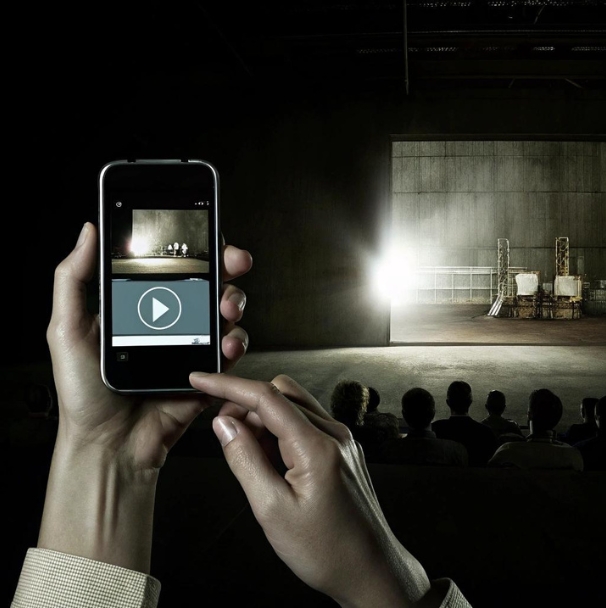
What Makes a Strong Video Streaming System?
A professional-grade video streaming system is made up of several components: input devices, encoding tools, a media server or cloud platform, a content delivery network (CDN), and viewing interfaces. Together, these parts ensure that video is captured, processed, transmitted, and viewed smoothly across different devices and platforms.
What sets robust systems apart is their scalability and reliability. They should be capable of handling thousands—or millions—of simultaneous viewers, distributing content with minimal latency and buffering. The system must support adaptive bitrate streaming, multi-platform distribution (e.g., YouTube, Facebook, proprietary players), and integrate with mobile apps used for contribution.
Your mobile broadcast app, in this case, is the entry point—the origin of the video signal that feeds into the broader system.
Selecting the right mobile broadcast app ensures that your video streaming system operates at peak performance, even in mobile-first workflows.
How Mobile Broadcast Apps Connect to Streaming Systems
The connection between a mobile broadcast app and the rest of the streaming pipeline happens through standardized streaming protocols. The most common is RTMP (Real-Time Messaging Protocol), which allows the app to send video directly to a streaming server. Other options like SRT (Secure Reliable Transport) and WebRTC offer improved security and lower latency for modern deployments.
Mobile apps typically let users configure stream destinations manually or via presets. Once the connection is established, the live feed is ingested into a video streaming system, where it’s transcoded, packaged into multiple resolutions, and distributed through a CDN to end viewers.
Advanced systems can receive multiple feeds simultaneously, enabling multi-camera productions where mobile inputs are mixed with studio cameras or screen captures. This hybrid model is becoming increasingly popular in remote production environments.
Must-Have Features in a Mobile Broadcast App
Not all broadcast apps are created equal. A solid mobile broadcast app should offer manual control over essential video settings—resolution, bitrate, frame rate, and encoding format. It should also support both front and rear cameras, offer real-time audio monitoring, and allow integration with Bluetooth or external microphones.
Other useful features include:
- On-screen overlays and lower-thirds for branding or identification
- GPS tagging for geolocation-aware streams
- Stream recording directly on the device for backup
- Scheduling and push notifications for audience coordination
- Custom stream keys for multi-platform distribution
Some advanced apps support bonded streaming—combining Wi-Fi and cellular networks for more stable transmission.

Security and Stream Reliability
As live streaming becomes more widespread, protecting the content from unauthorized access or manipulation is vital. Broadcast apps should support stream encryption and secure authentication for destination platforms.
Some apps offer stream keys that regenerate with each session, while others allow encrypted connections to media servers. Stream reliability features like auto-reconnect and adaptive bitrate help maintain broadcast integrity even when network conditions fluctuate.
Beyond the app itself, the video streaming system should provide user role management, access logs, and support for HTTPS delivery and tokenized stream links to control who can view or interact with the content.
Bandwidth and Performance Considerations
The quality of your live stream depends heavily on network conditions. HD streaming requires a stable upload speed of 3–5 Mbps, while 4K demands 10 Mbps or more. In locations with unreliable connections, mobile broadcast apps must adapt dynamically.
This is where adaptive bitrate streaming and real-time monitoring are crucial. A good app will reduce resolution or frame rate on the fly to prevent buffering. Bonded connections (combining LTE, 5G, and Wi-Fi) offer better resiliency and are supported by some mobile streaming platforms.
Users should always test conditions before going live and consider streaming in 720p if bandwidth is a concern. Pre-buffering or delay options may also help smooth the viewer experience in volatile conditions.
Multi-Camera and Remote Production Support
One mobile device is powerful—but multiple devices working in sync can create a full broadcast experience. Many mobile broadcast apps support integration with production tools that allow switching between multiple live feeds.
In remote production (REMI) setups, mobile phones act as roving cameras. A cloud-based production system or remote director receives feeds from multiple devices and cuts between them live. This approach is cost-effective and ideal for sports, concerts, and hybrid events.
Some mobile broadcast apps integrate directly with production platforms via QR code pairing or remote device management, making them part of a larger collaborative workflow.
To expand your video streaming system’s flexibility, choose a mobile broadcast app that supports multi-input coordination and cloud production tools.
Cloud Platforms and Integration
Many broadcasters use cloud-based video platforms to simplify deployment. Mobile broadcast apps can often stream directly to these platforms without additional hardware. Services like Vimeo, Wowza, and AWS Elemental offer cloud ingestion, transcoding, and delivery pipelines.
Cloud integration allows for real-time switching, analytics, monetization, and social distribution—all controlled remotely. Mobile inputs can also be archived, clipped, and restreamed, extending the value of every live broadcast.
This direct-to-cloud workflow is becoming the new standard in mobile-first production environments.
Trends and Future Directions
The next generation of mobile broadcast apps will incorporate AI-driven tools for real-time editing, noise reduction, and smart framing. Expect apps that auto-follow speakers, switch camera views based on activity, and even integrate live translation.
5G will accelerate these trends, offering ultra-low latency and higher bandwidth to support more immersive experiences—including AR and VR. Meanwhile, more organizations are looking to unify their broadcast and video streaming system into a single mobile-ready platform.
From remote healthcare to mobile journalism, the role of smartphones in live streaming is only growing. And with that, mobile broadcast apps are becoming indispensable tools—not just accessories.
Conclusion
The convergence of mobile technology and live broadcasting has opened new opportunities for content creators, enterprises, and event producers. A reliable mobile broadcast app is no longer just a convenience—it’s a cornerstone of any agile, scalable video streaming system.
As technology advances, the line between professional studio and smartphone continues to blur. What matters most is how seamlessly these tools work together. By choosing the right mobile app and integrating it with a powerful backend, organizations can broadcast from anywhere, at any time, with confidence.
Whether you’re streaming to a global audience or managing critical video infrastructure, building your workflow around a secure and feature-rich mobile broadcast app is the key to unlocking modern video success.
FAQs on Mobile Broadcast Apps
1. What is a mobile broadcast app?
A mobile broadcast app is a software application that enables users to stream live video directly from a smartphone or tablet to a video streaming system or platform using protocols like RTMP, SRT, or WebRTC.
2. How does a mobile broadcast app connect to a video streaming system?
The app sends live video over a streaming protocol to a media server, cloud platform, or CDN, where it’s processed, transcoded, and distributed to viewers in real time.
3. What are the key features to look for in a mobile broadcast app?
Look for manual camera controls, bitrate configuration, overlays, external mic support, stream encryption, adaptive bitrate, and easy integration with cloud or custom platforms.
4. Can I stream to multiple platforms using a mobile broadcast app?
Yes, many apps allow simulcasting through integrated services or by streaming to a platform that distributes your feed to multiple destinations like YouTube, Facebook, or a custom player.
5. What kind of internet connection is best for mobile live streaming?
A stable 4G/5G or strong Wi-Fi connection is ideal. HD streaming requires at least 3–5 Mbps upload speed, while 4K may need 10 Mbps or more. Some apps support bonded networks for added reliability.
6. Is mobile live streaming secure?
Yes, if the app supports encrypted protocols (like SRT or RTMPS), access control, and stream authentication. Always use updated apps and secure destinations to protect your content.
